See the Complete Registration Experience
Online registration moves through four straightforward steps. This demonstration uses screenshots from the working registration system so you can follow the complete experience without creating an actual booking or processing a payment.
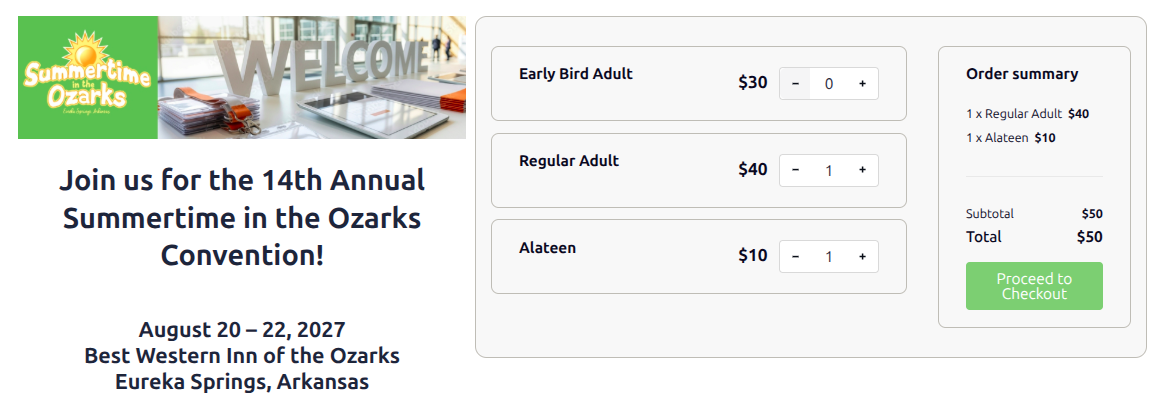
1 Select Registrations
Registrants choose the appropriate registration types and quantities. The order summary updates automatically before they proceed.
2 Review the Booking
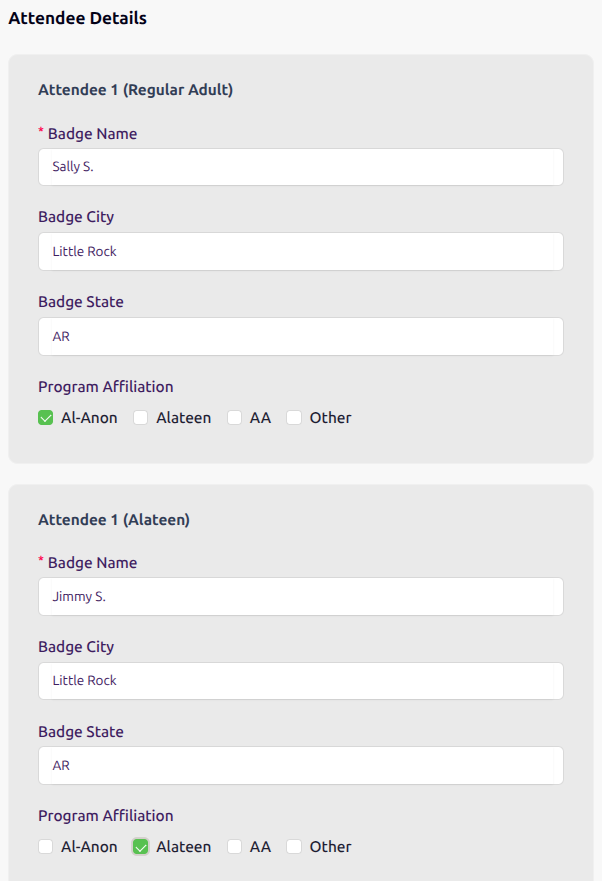
The buyer enters contact and billing information, reviews the registrations and online processing fee, and provides the badge information and program affiliation for each attendee before proceeding to secure payment.

3 Complete Secure Payment
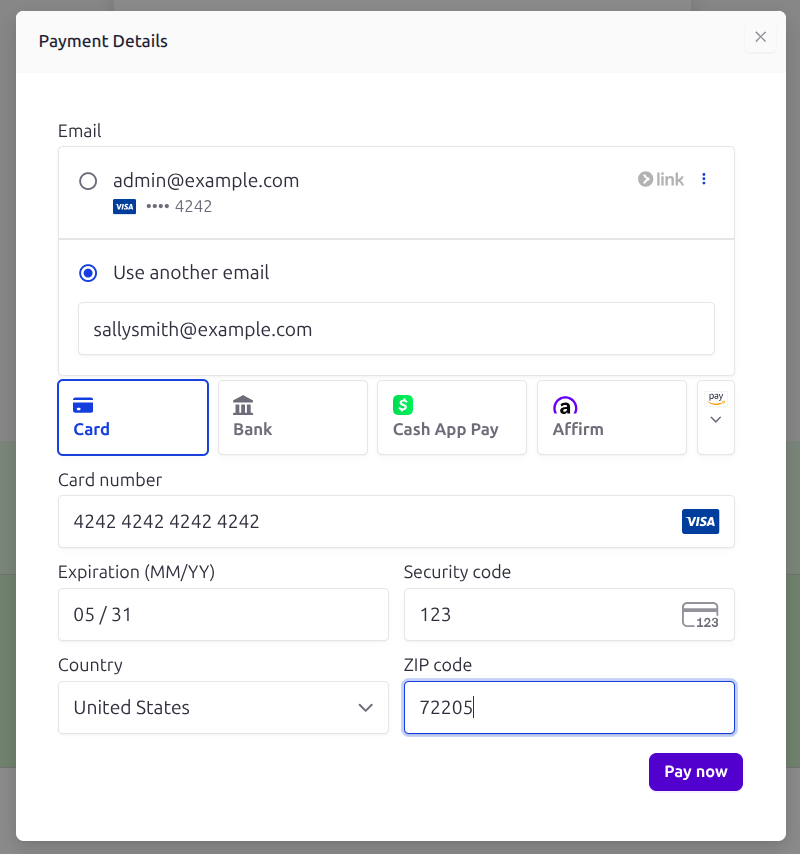
Payment is handled securely through Stripe. Card information is entered directly into Stripe’s payment interface rather than being stored by the convention website.
4 Receive Confirmation
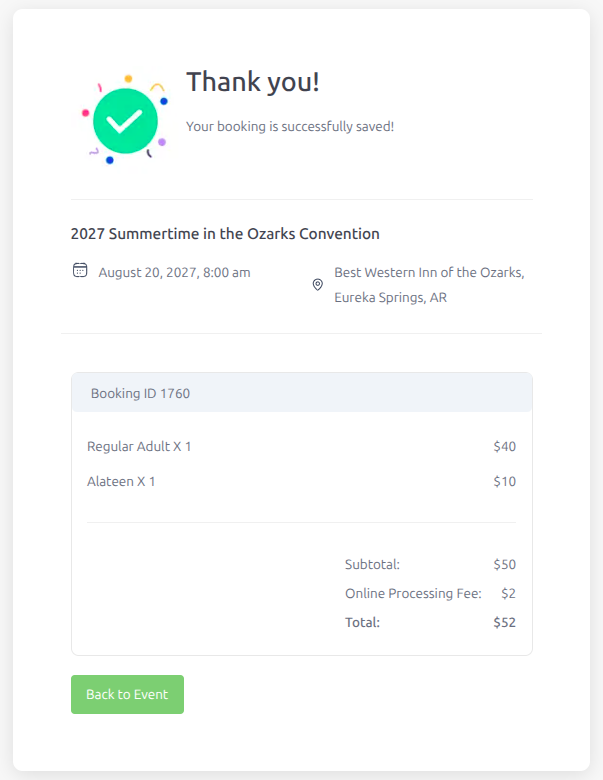
After successful payment, Eventin confirms the booking and displays the completed registration summary for the registrant.
Why This Demonstration Uses Screenshots
This public demonstration does not create Eventin orders or process payments. Using screenshots for these steps allows visitors to see the complete registration experience without generating test transactions or interacting with a live payment system.